 Wuxh · 吴小红
记录一下npm源的一些配置
对于设置 npm 源的内容网上已经有很多了, 这次主要记录一下对于多个私有源地址如何进行设置。
偶然在群里看到某个朋友说到, 他的项目中依赖了多个私有包, 每次删除 node_modules 后需要设置私有源并安装后, 再安装外网依赖。
一键设置源
使用 nrm 进行设置。
# npm --registry=https://registry.npmmirror.com
# or
npx nrm use taobao # 设置淘宝源
多个不同源
当前项目根目录下新建 .npmrc 文件, 可以参考我的示例:
# registry=https://registry.npmjs.org/ # npm(默认)
@vue:registry=https://registry.npmmirror.com # 淘宝
@wuxh:registry=http://nas.wxhboy.cn:98/ # 私人
你可以使用 npm config ls 来确认你的配置文件是否正确。
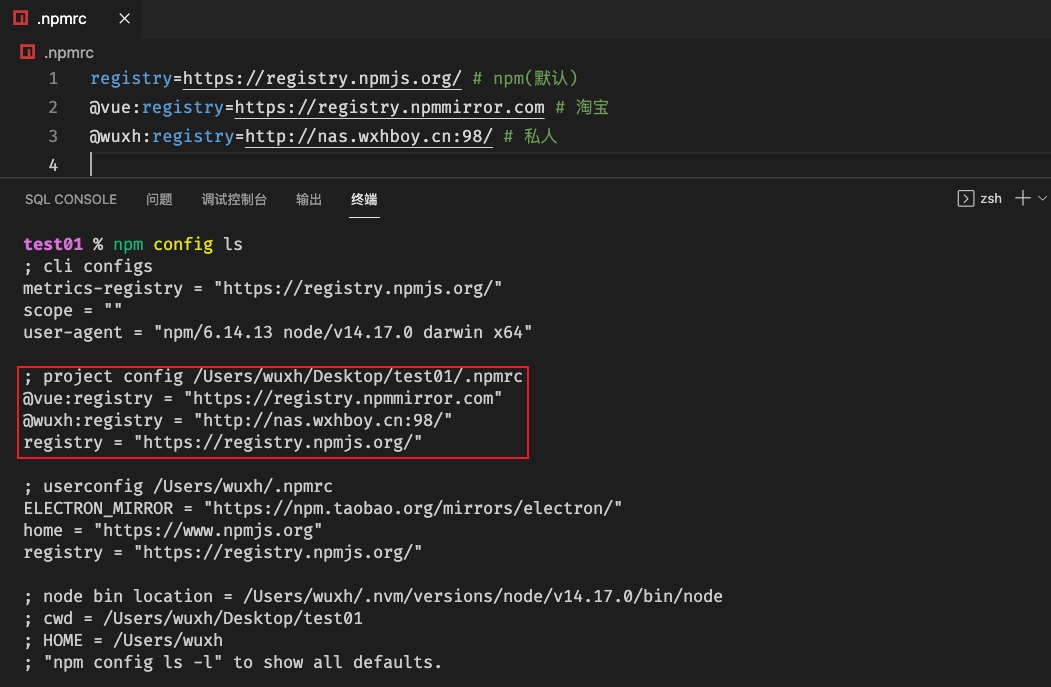
最后测试一下配置是否生效:
npm info @wuxh/resource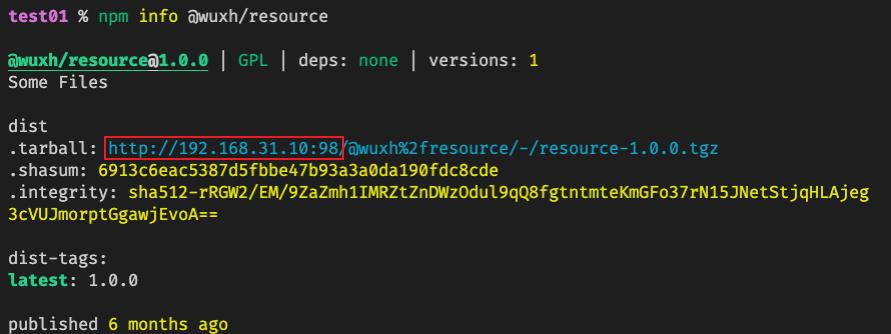
npm info @vue/composition-api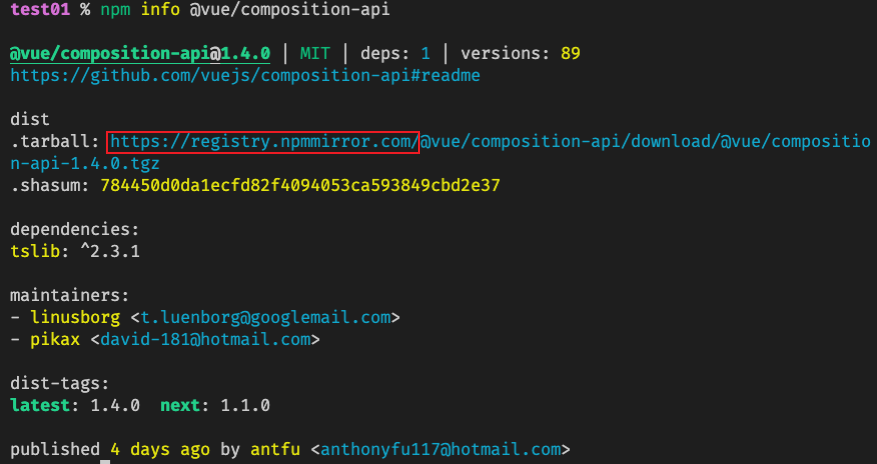
参考文档
CC BY-NC-SA 4.0 2018–PRESENT © Xiaohong Wu